Your first island
Create your island, build a generator and start growing, step by step.
2 min read 3 sections
On SkyBlock you start on a small island floating above the void. Everything you build comes from what you can grow, mine and craft on it, so every block counts. Join play.bloxrealm.fun in Minecraft Java 1.21.11 and pick SkyBlock in the hub (see Joining a server). No account or whitelist is needed.
50 × 50
starting island size
5
members at start
20
island missions
24
player levels
🏝️ Choose your starter island
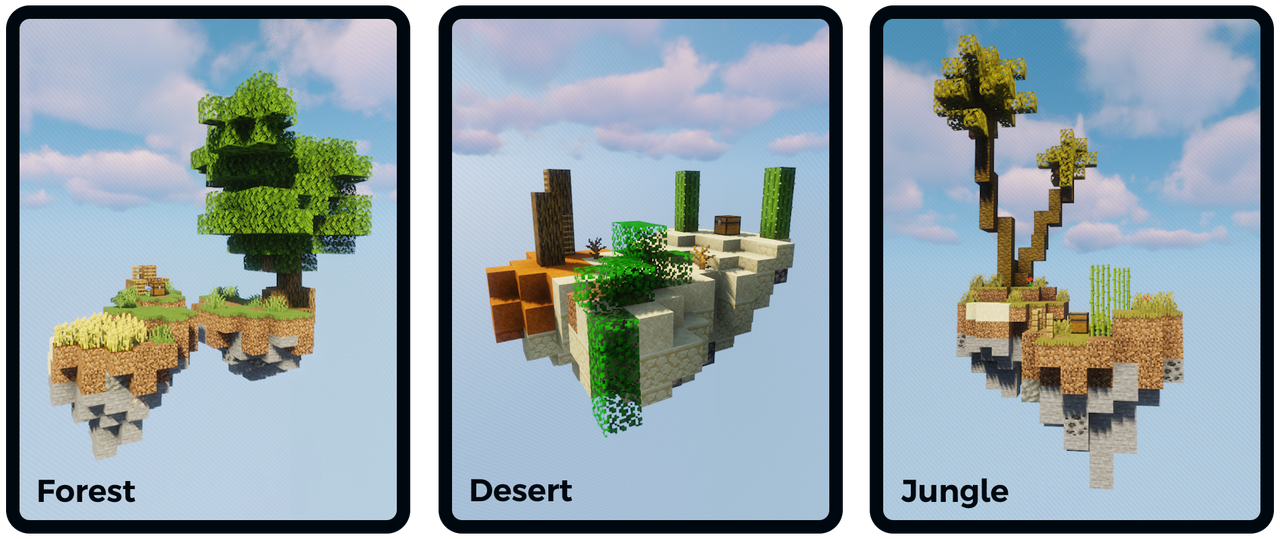
/is create. The theme changes your starting layout and materials.🧭 Your first hour
- 1
Create your island
Type
/is createand pick a theme: Desert, Forest or Jungle. Each one has its own Nether and End islands you unlock later. You are teleported to your island right away. - 2
Claim your starter kits
/kits→ Starter kits: tools, food and a PvP kit to get going. - 3
Build a cobblestone generator
Lava next to flowing water makes cobblestone forever: it's the heart of every island. There is a working example at spawn if you're not sure how to build one. Upgrade it later so it also makes ores (see Island upgrades).
- 4
Start a farm
Wheat, carrots and potatoes feed you, sell well in
/shopand count for the Farmer missions. - 5
Follow the missions
/is missionslists 20 goals (mining, farming, fishing, slaying, exploring) that pay money and unlock upgrades. See Island missions. - 6
Claim your free rewards
/rewards(hourly, daily and weekly) and/votefor a free Vote key every day.
A tour of the spawn on your first visit
The first time you join, the camera takes you on a short tour of the spawn: guide, rewards, warps, ranks, main square, AFK pond, crates, generator and dungeons. Press Shift to skip it.
A guided tutorial walks you through it
Right after you create your island, a 5-step tutorial starts (generator, farm, upgrades, shop, missions), with your progress in a bar at the top of the screen. Finish it for $100. /tuto shows the current step, /tuto skip skips it and /tuto restart starts it again.
📖 The in-game guides
/isopens the island menu: members, upgrades, missions, settings, warps, bank and more./help,/tutorialor/serverguideopens the server guide, a menu that explains every feature. Its second page (the extended guide) covers the advanced ones.- The Discovery Codex (in the server guide) lists features to try. Completing entries gives Level XP.
Don't fall!
Falling into the void teleports you back to your island (or to spawn), but the items in your inventory are lost. Build a railing on the edges before you start bridging.
🎮 Try it in game
Join the server and type /help any time.